

School
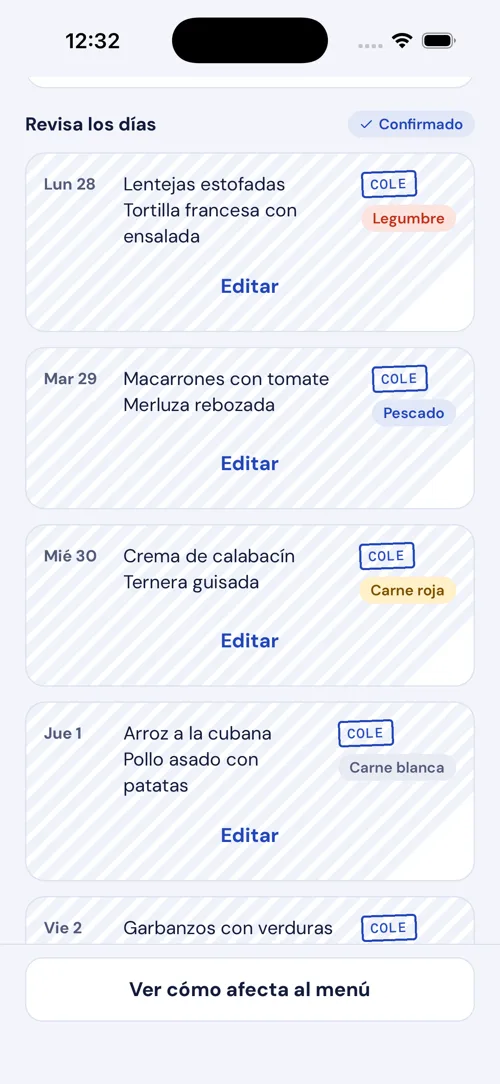
The school menu, checked by you.
Any school: if you have the PDF or a photo, it reads it. Every dish can be corrected before you plan the week.

Your home menu, matched to the school's
Your family's whole week, planned around the school lunch menu. Any school.
Try it free for 15 days
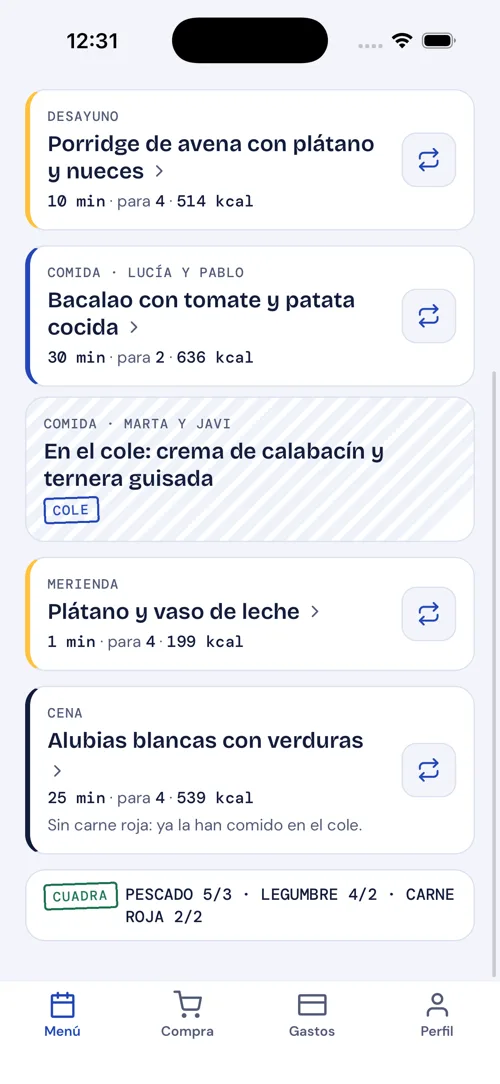
A Tuesday like any other
Lentil stew
Hake in green sauce with potatoes
No pulses tonight: they had them at school.
MatchesSound familiar?
"What's for dinner tonight?" at 7:30 pm.
The week is already planned: lunches and dinners.
No time on weekdays.
Ask for 10-minute dinners Monday to Thursday.
The shopping bill keeps climbing.
Ask for a cheap week and see what you've spent against your budget.
Cooking twice because someone has an allergy or eats differently.
Everyone gets their menu, in the same week.
Protein and creatine tracked in a separate note.
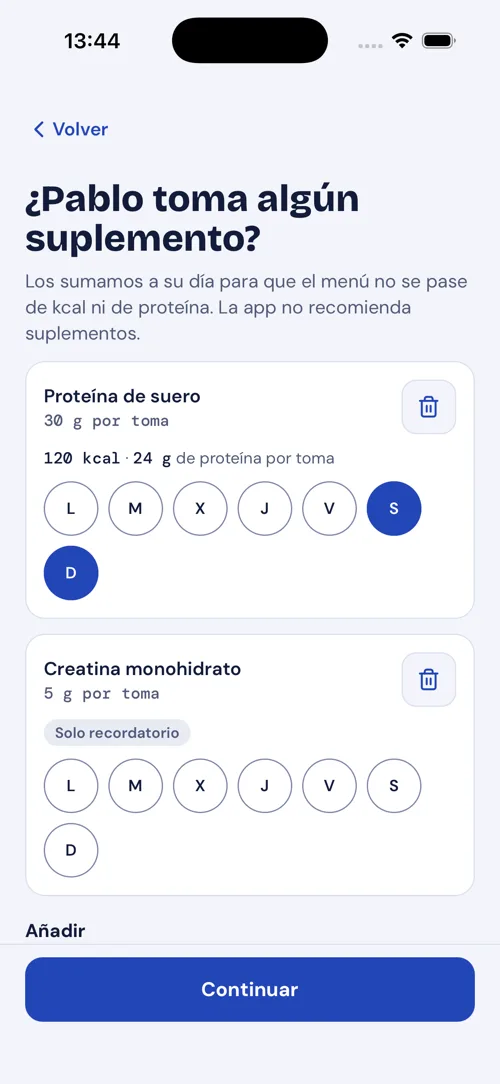
They count towards each person's day.
"I forgot to take the chicken out."
How it works
Or upload the PDF. We read it and you check it: anything unclear gets a Check stamp.
Ages, allergies, likes, and who has their own menu.
Lunches and dinners that fit around school, with the shopping list done.
Ask in your own words
Write it the way you'd say it to someone at home, and the week gets planned that way.
Try:
Or pick a style:
Any school: if you have the PDF or a photo, it reads it. Every dish can be corrected before you plan the week.
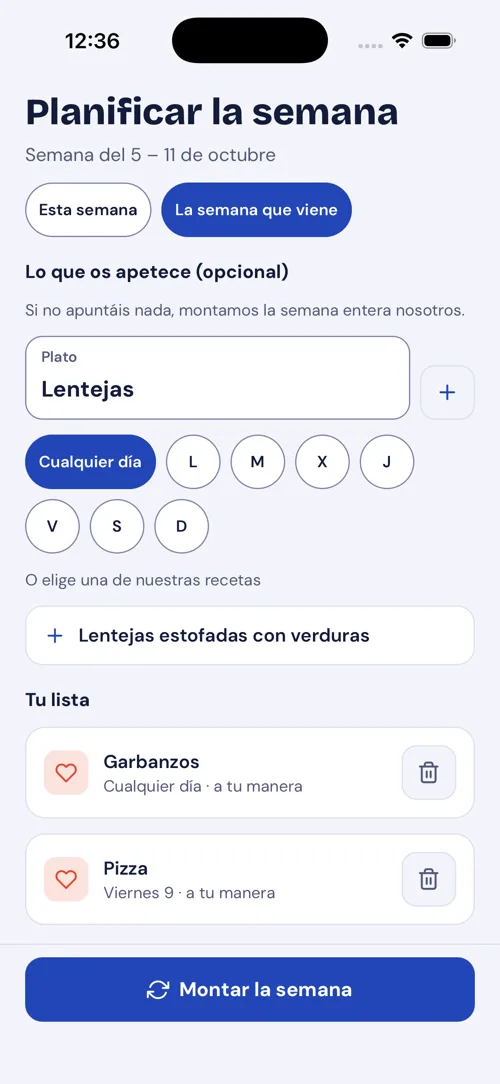
Allergies, diets and whoever eats differently, all in the same week. In the Family view, each meal also shows the dish for anyone with their own menu.
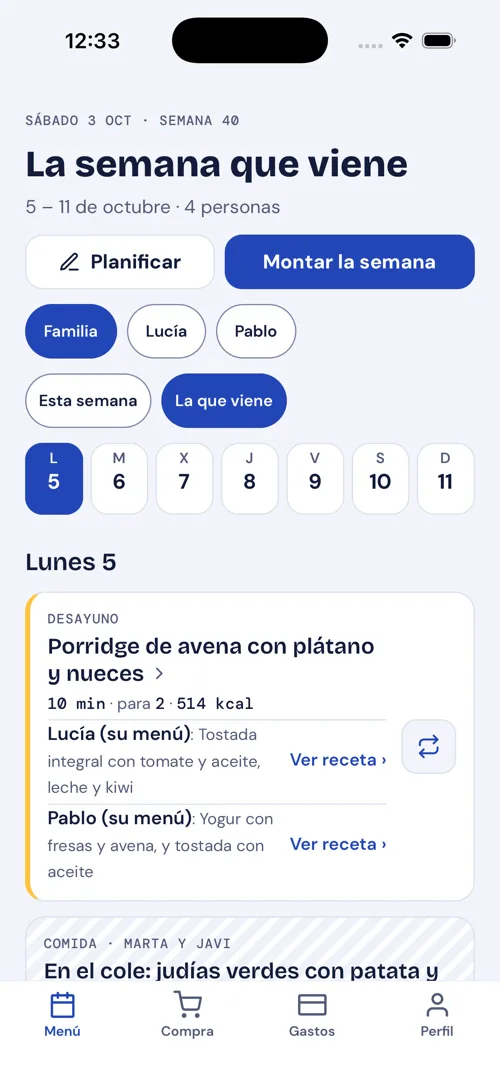
Jot it down and we'll fit it into the week.
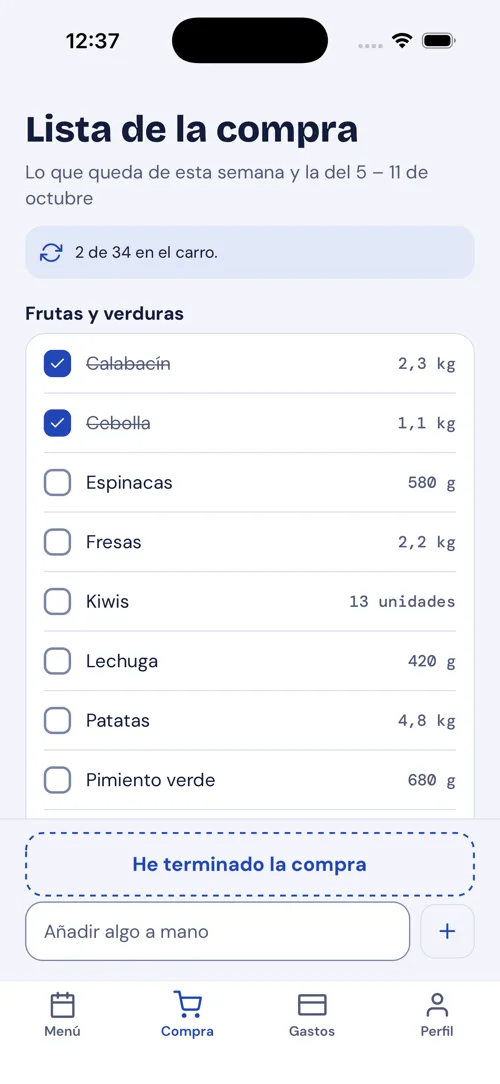
One shared list, sorted like the supermarket, and what you've spent against what you planned. Your partner sees it on their phone and ticks things off in the shop.
At the time you choose, we tell you what's for lunch and dinner tomorrow, and what to take out of the freezer.
21:00

Hoy tocanow
On tomorrow's menu
Lunch: Roast chicken with potatoes · Dinner: Hake in green sauce. Tonight, move chicken and hake from the freezer to the fridge.
Hoy tocanow
On tomorrow's menu
Lunch: Lentil stew · Dinner: Courgette omelette.
Log each person's protein, creatine or vitamins and they count towards their day, alongside what they eat.
Pricing
15 days free to try it with this month's school menu.
Monthly
€3.99
per month
6 months
€19.99
works out at €3.33/month
Yearly
€29.99
works out at €2.50/month
One subscription for the whole household. Pay and cancel through the App Store or Google Play. The trial renews on the plan you choose unless you cancel before it ends. Prices in euros; the stores show the price for your country. Without a subscription you keep the shared shopping list, your own list, the last menu you planned and this month's spending.
FAQ
Days without school lunch (bank holidays, half days…) come from the school menu itself, and on those days Hoy toca plans lunch at home. If a single day changes, you correct that day of the school menu before planning the week.
Yes, with any school and any catering company. Take a photo or upload the PDF.
Anything unclear gets a CHECK stamp, and nothing goes into your week without you seeing it.
Correct the dish or upload the new menu and plan the week again.
Everyone has a profile with their allergies, likes and diet, and whoever needs it gets their own menu.
Yes: the menu and the shopping list belong to the whole household and show on both phones.
No: one subscription covers the whole household.
You start the trial with the plan you choose and, when it ends, it renews on that plan unless you cancel beforehand in the App Store or Google Play. If you cancel, you keep the shopping list, the last menu and this month's spending.
Yes, it plans the week just the same; but it's designed for families whose kids eat at school.
Yes: just write it ("something cheap this week", "10-minute dinners") and the week is planned that way. You also see what you've spent against your budget.
Yes: their profile has their own goals, and the protein, creatine or vitamins they log count towards their day.
Snap the school menu and plan your first week. 15 days free.